How to Generate a Sustainability Report
Sustainability reports summarize your environmental impact, including carbon footprint, product sustainability scores, and improvement recommendations. Use them for ESG reporting, stakeholder presentations, and tracking progress toward net-zero goals.
Steps
-
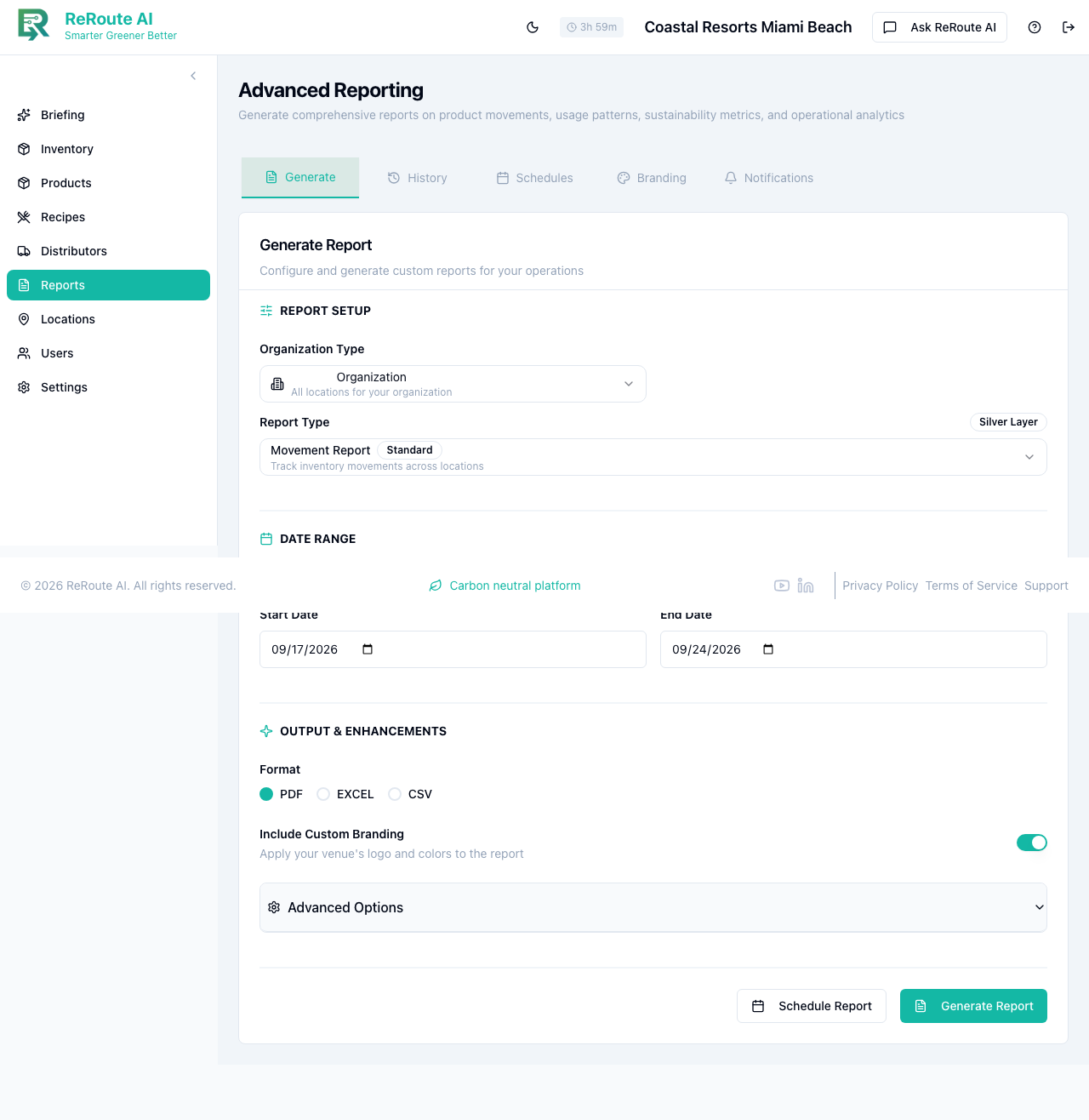
Click Reports in the left sidebar to open the Advanced Reporting page.
-
On the Generate tab, configure the report:
- Organization Type -- select "Organization" for all locations, or choose a specific location.
- Report Type -- select Sustainability Report.
- Date Range -- use a quick-select button (Last 7 Days, Last 30 Days, Last Quarter) or set custom start and end dates.
-
Under Output & Enhancements:
- Format -- choose PDF for presentations, EXCEL for data analysis, or CSV for raw data.
- Include Custom Branding -- toggle ON to include your property logo and branding colors. The system uses a fallback hierarchy: your location branding, then tenant branding, then platform defaults.
-
Click Generate Report and wait for the report to build.
-
Download the completed report. It also appears in the History tab for future access.
What the report includes
- Executive Summary -- overall sustainability score and trend direction.
- Carbon Footprint -- total kg CO2e for the reporting period.
- Product Breakdown -- sustainability score for each product, ranked from lowest to highest impact.
- Category Analysis -- which product categories contribute most to your environmental footprint.
- Recommendations -- AI-generated suggestions for reducing your impact.
- GHG Protocol Scope 3 -- formatted for ESG disclosure and compliance reporting.
For a quick sustainability overview without generating a formal report, open the Ask ReRoute AI panel and ask for a sustainability summary. The AI will give you a conversational summary of your current scores and top improvement opportunities.