AI Agents & the Briefing Page
The Briefing page is your command center for managing inventory, sustainability, and operations. Instead of navigating through multiple screens, you can ask questions in plain language and get answers, charts, and action items in the Ask ReRoute AI panel.
What the Briefing Page Does
The Ask ReRoute AI panel — opened from the icon in the top-right — gives you a chat interface backed by specialized AI agents. You type a question or tap a suggested prompt, and the system automatically routes your request to the right specialist, gathers the data, and responds with a combination of text, charts, tables, and interactive cards.
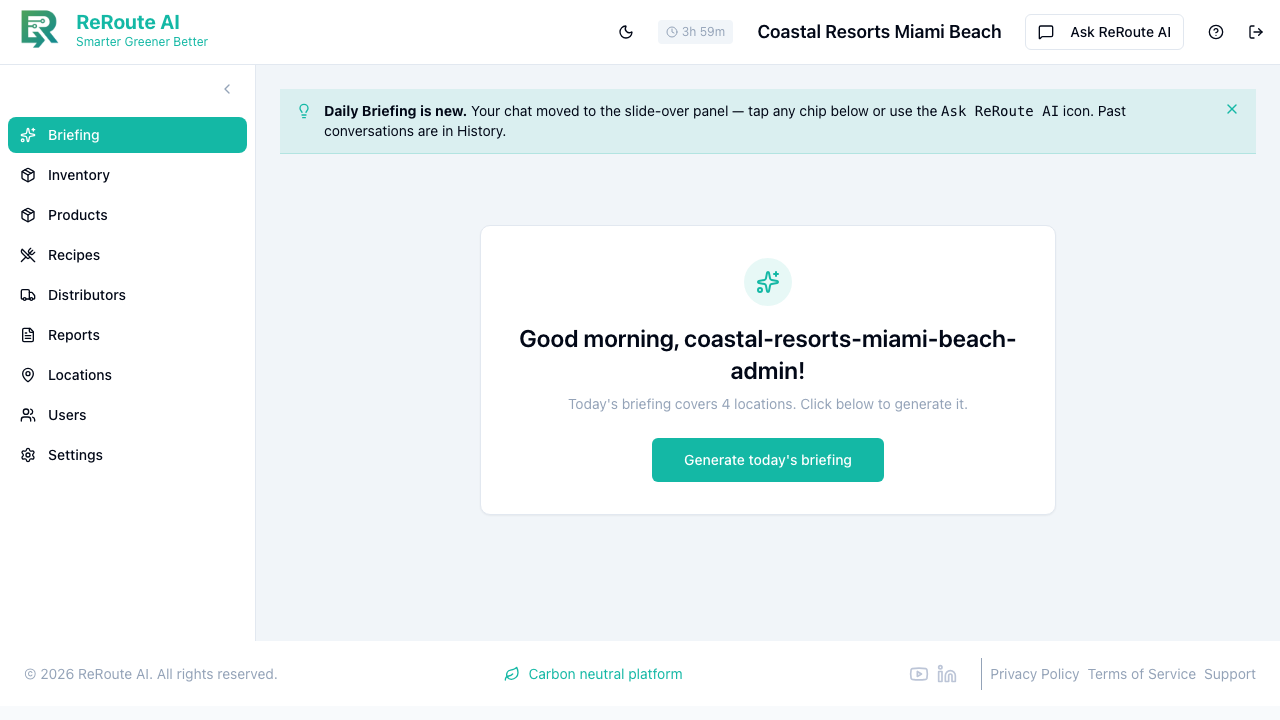
Think of it as having a team of analysts on call: one focused on sustainability, one on inventory, one on analytics, and one on demand forecasting. The system decides which specialist (or combination of specialists) to consult based on your question.
Suggested prompts
The Ask ReRoute AI panel offers suggested prompts (chips). Each one sends a pre-written question to the AI so you can get common information with a single tap:
| Quick Action | What It Does |
|---|---|
| Daily Briefing | Gives you a morning summary with attention items (low stock, expiring products, stuck transfers), key metrics, forecast highlights, and achievements. |
| Low Stock | Shows which items are running low across your locations, with current quantities and recommendations. |
| Trends | Displays sustainability trends for your location over the current quarter, with charts showing score changes over time. |
| Sustainability | Reports your current sustainability score with a breakdown by product category and suggestions for improvement. |
| Forecast | Provides demand predictions for the coming week so you know what to order and how much. |
| Scope 3 Report | Generates your monthly sustainability report covering carbon emissions and environmental impact. |
How Questions Get Routed
You do not need to worry about directing your question to the right agent. The system automatically classifies what you are asking about and routes it accordingly:
- Questions about carbon footprint, eco-friendly alternatives, or product scores go to the Sustainability specialist.
- Questions about stock levels, transfers, or low stock items go to the Inventory specialist.
- Questions about usage patterns, trends, or analytics go to the Insights specialist.
- Questions about future demand, ordering, or weather impact go to the Forecasting specialist.
If your question spans multiple areas (for example, "What are my low stock items and their sustainability scores?"), the system consults multiple specialists and combines the results into a single response.
Example Questions You Can Ask
Here are some questions to try:
- "What items are running low at my downtown location?"
- "Show me the sustainability score for product 049000028911"
- "What should I order for next week?"
- "Are there any events that will impact demand this weekend?"
- "Find me eco-friendly alternatives to our plastic cups"
- "What are the usage trends for beverages this month?"
- "Generate a sustainability report for January"
- "How does our waste diversion rate compare to last quarter?"
- "What is the carbon footprint of our top 10 products?"
- "Transfer 50 units of gloves from the warehouse to the kitchen"
Tips for Getting the Best Answers
- Be specific about locations. If you manage multiple locations, mention which one you are asking about (for example, "at the Miami Beach property").
- Include time frames. Saying "this week" or "last 30 days" helps the AI pull the right data range.
- Ask follow-up questions. The AI remembers your conversation, so you can say "Now show me the same thing for last month" without repeating your full question.
- Use the quick actions as starting points. After getting your daily briefing, ask follow-up questions to dig deeper into anything that catches your attention.
- Start a new conversation when you switch topics completely. Click the "New Conversation" button in the header to reset the chat and start fresh.